Posts

Showing posts with the label C

Linux Snippet: include a static library inside another static library

Image
The linux static library format .a is basically only an archive of compiled object files. If you are developing a linux static library that use external functions coming from another static library you need to release both libraries (your library just developed and the second library you get functions from) for allow the final executable to compile correctly.


Linux tool: convert binary file to C/C++ source code array

Image
In case you are programming under Linux and have a binary file that want "import" inside your C/C++ code is there an useful linux utility tool called xxd able to make such conversion in a very easy way. This tool is usually installed by default in all major linux distributions.

Asynchronous bulk transfer using libusb

Image
The 'linusb' is one of the most used open source library for work with usb devices. It allow to make the basic usb data transfers operation in a little bit easier way compared to standard system calls. Here a short tutorial regarding how to use asynchronous bulk transfer.

Using Eclipse for develop Android app mixed Java and C/C++ code

Image
Eclipse is the "official" IDE proposed by Google for Android development. Usually Android app are written using Java code but for some specific task could be necessary to use native C/C++ code to interface with the Java side. Here a tutorial about how to configure Eclipse for a mixed Java and C/C++ code and how to develop it.

Qt: Using custom Style Sheet property

Image
Qt Style Sheet is a great way for quickly set the appearance of GUI controls using CSS style properties. There is a large set of Qt Style Sheet properties available for every type of widgets. However, in case you need to use this same way for set a property non available in the standard set, here a small example about how to do it.

Qt: Sidebar Qt Creator style

Image
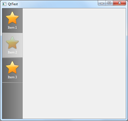
Very simple tutorial about how to develop a dark sidebar like the Qt Creator tool. This is my solution based to stylesheet but same result can be reached in a lot of other ways. However I think this will get a good result with minimal efforts.

Clear console screen in Windows and Linux

Image
In case of develop of a console mode application it could be quite frequently to clear all the console screen for prepare new output. Here some examples of codes for clear screen in both operating systems.

Set console cursor position in Windows and Linux

Image
In console mode the typical need for set cursor position would be to "update" data in the same fixed position creating a refresh effect. This requirement need to set the cursor in the same point every time and start print characters. Each new print will overwrite the old data and this will create the dynamic update effect.

Set window icon in Windows console application

Image
Console application is a special Windows interface that doesn't need any GUI window since show only a console prompt as input. Each MS-DOS executable or batch file is automatically executed using this special mode. However is possible to develop a pure Windows application using this modality.

Get console screen size in Windows and Linux

Image
Console application in both operating systems Windows and Linux measure the screen size using the number of columns and lines instead of use pixels. This because console mode allow only characters output inside the ASCII range and each character block have a fixed width and height size.

Disable terminal echo in Linux

Image
Very short code snippet to disable/enable the terminal echo in Linux. If, as example, in your tool you need user to insert a password and don't want show it in the typing terminal you simply can disable echo. Once echo disabled your tool will receive keyboard input but the letters will not be showed on the screen.

Detect arrow keys pressure under Linux

Image
Manage pressure of keyboard arrow keys under Linux is not a very easy task. This because, contrary to other keys having a specific unique code, the pressure of one of the arrow keys return not a single scancode but a sequence of three codes.

Qt: Get child controls events

Image
In some cases you may have the need to get events before they reach your child controls. The most common example would be the need to get mouse events from a "root" control (for example a QFrame object) of all child controls inside. This way will allow the "root" control to detect if mouse buttons has been pressed/released or moved over all the control area independently if there are some child controls around.

Open XML parsers in C/C++

Image
XML is the most common way to manage any kind of data. A lot of free open code packages for manage XML file are available. Here a short list of the most famous written using C/C++ language.

Check if any key is pressed in Linux

Image
In case you would to know if a key (any key) is pressed in Windows it exist a very useful function called _kbhit() . Linux doesn't have a similar function but is possible to easily reproduce using a few lines of code. Nothing new since this kind of code is possible to find in many places around, it's just to give my little contribution by providing a ready made function to simply copy and past in your code.

Qt: wait for a signal in synchronously mode

Image
Qt libraries work using the mechanism called signal-slot. Basically this is a optimal way to make an asynchronous communication between objects in any kind of conditions and transmitting any kind of data. However, sometimes, may happen the need to wait for a very short time event (for example wait for the end of a short animation).

QTableWidget: center a checkbox inside a cell

Image
QTableWidget is a very good control for show and manage data in a table format. It allow to insert inside cells different type of controls like listbox, checkbox and so on. In this post we'll discuss about the use of a checkbox control inside a cell with no text and the centering problem.

Visual Studio color schemes collection

Image
Visual Studio is one of the best IDE available with a lot of nice features. One of the most useful is the possibility to customize the color scheme of the editor to allow a quick reading of the various elements of the code. Find the right combination of colors, though, can sometimes be quite long than the following site will can help you.   

QListWidget and item edit event

Image
QListWidget control allow, once properly configured, to edit items by, usually, double clicking over it. However if you want be informed when the user finished to edit item value for make your personal check there is no signals dedicated to this type of event. This because the line edit control created on the fly is delegated to another Qt object.

Access GPIO from Linux user space

Image
GPIO mean "General Purpose Input/Output" and is a special pin present in some chip that can be set as input or output and used to move a signal high or low (in output mode) or to get the signal current status (in input mode). Usually these pin are directly managed by kernel modules but there are an easy way to manage these pins also from user space.